|
 |
Now that we know the logic of Stranded II's script language, we can begin with our first little script.
The editorScripts are, except those in the definitions, written directly in the map editor. It therefore contains a simple script editor.• Start Stranded II • Click "Editor" in the main menu For the beginning, we shall create a global script. It is most recommendable to do this in the global map script, if not in the "game.inf". • Open the map settings: 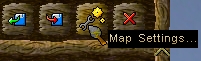 Here you now see a text input field, branded with "global script". This is exactly what we search for. It is, however, a bit small - but that is nothing to worry about... • Click the "script" button to open the script editor:  Now we can see the script editor. Apart from more space to fill with text, it offers a script import and export function, a button to add a command that opens a window with all commands, and an automatic completion function that during typing shows all commands that start with the same letters. They can then be selected per mouse click. Hello World!But now let's start with the script itself. When writing a script, one must always first figure out when it is supposed to be ran. The scripts of Stranded II are based on events, after all. That can be specified with the command "on".• The command "on" in the command reference Since we want the script to be executed when the map starts, we choose the event "start". The event is to be attached to the on-command per colon. As a script, this looks as it follows:
on:start {
}
This is not very meaningful yet. Stranded II may now know that it has to run this scrip when the map is started, but with no commands to execute. We shall overcome this defiancy. Let us just display small short text. Herefore, the command "msg" is suitable. • The command "msg" in the command reference ou must write it into the curly bracket, for we want it to work at the start. But since the script has only a "on:start" and now further events, it would not make a difference if you just wrote it above or below the brackets. You see, Stranded II always executes the entire script - all that is located out of "on"-brackets and all that is within the "on"-brackets of the particular event - but only if there is a currently happening event in the script. Consequently, scripts without events are never ever executed and hence totally useless. Let's get back to work and add the command:
on:start {
	msg "Hello World!";
}
SummaryWhen you write scripts for Stranded II, there are three steps to pass:• Specify WHERE you want the script to be executed • Specify WHEN you want the script to be executed and attach suitable events to the command "on". • Write the actual script into the right event's brackets. • III. Variables |
||
|
Stranded I, Stranded II & Stranded III are games by Unreal Software 2003-2023 | Contact | Disclaimer
|